
How to increase website conversion rate is an important question for businesses that want to turn more website visitors into customers, leads, or subscribers. However, attracting visitors is only the first step. You also need to make it easy for them to take action.
For example, imagine that 1,000 people visit your website every month, but only 20 submit your contact form. Although your website attracts traffic, you may be losing potential customers because of unclear messaging, complicated forms, or a poor user experience.
Therefore, improving your website conversion rate can help you get more value from your existing traffic.
In this beginner-friendly guide, you will learn eight practical ways to increase website conversion rate, optimize landing pages, improve calls to action, and measure your results.
Whether you manage a business website, an e-commerce store, or a landing page for a marketing campaign, these tips will help you identify opportunities for improvement.
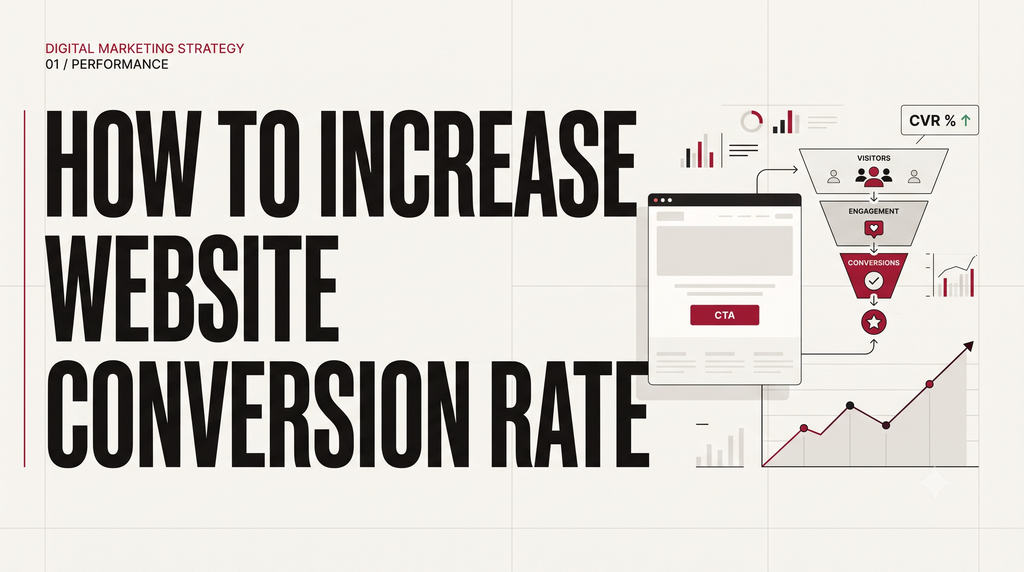
What Is Website Conversion Rate?
Website conversion rate is the percentage of website visitors who complete a specific action that you want them to take.
For example, a conversion could be:
- Purchasing a product from an online store.
- Submitting a contact form.
- Booking a consultation.
- Signing up for a newsletter.
- Requesting a product demonstration.
However, the right conversion depends on your business goals. An e-commerce website may prioritize purchases, whereas a service business may focus on qualified leads.
How to Calculate Website Conversion Rate
You can calculate website conversion rate using this formula:
Conversion Rate = (Number of Conversions ÷ Number of Visitors) × 100
For example, suppose your website receives 1,000 visitors in one month and 30 of them complete your lead form.
Your conversion rate would be:
(30 ÷ 1,000) × 100 = 3%
Therefore, your website conversion rate is 3% for that period.
However, you should define your measurement method consistently. For example, a rate based on sessions may differ from a rate based on unique users. Consequently, always specify what you are measuring when comparing results.
How to Increase Website Conversion Rate: 8 Practical Tips
Improving website conversions does not always require a complete redesign or a larger advertising budget. Instead, you can start by identifying friction points that prevent visitors from taking action.
Here are eight practical website conversion rate optimization tips you can apply.
1. Make Your Value Proposition Clear
Your value proposition explains what you offer, who it helps, and why someone should choose your product or service.
When visitors land on your website, they should understand what you do without having to search through several pages.
For example, consider a digital marketing agency website.
A vague headline might say:
“Welcome to Our Digital Marketing Company.”
In contrast, a more specific headline could say:
“Generate More Qualified Leads With SEO and Performance Marketing.”
The second headline communicates the service and its potential benefit more clearly.
Therefore, review the main headline on your homepage or landing page. Make sure it explains your offer in simple language. In addition, use a supporting sentence to explain how your service solves the visitor’s problem.
What to do:
- Explain your main offer clearly.
- Focus on the customer’s needs rather than your company history.
- Highlight a genuine benefit.
- Remove unnecessary jargon.
- Ensure your headline matches the advertisement or search result that brought visitors to the page.
2. Improve Your Call-to-Action Buttons
A call to action (CTA) tells visitors what to do next.
Examples include “Get a Free Consultation,” “Request a Quote,” “Add to Cart,” and “Download the Guide.”
However, a CTA can be ineffective if its wording is vague, difficult to find, or disconnected from the offer.
For example, compare these two buttons:
- “Submit”
- “Get My Free Consultation”
The second button explains what the visitor can expect after clicking.
Furthermore, your primary CTA should stand out visually without distracting visitors from the rest of the page.
What to do:
- Use specific, action-oriented wording.
- Make buttons easy to find and tap.
- Place the main CTA near the relevant offer.
- Ensure the button works correctly on mobile and desktop.
- Explain what happens after the visitor clicks.
Nevertheless, avoid assuming that a particular button color or phrase will always perform better. Test meaningful changes and evaluate the results.
3. Simplify Your Website Forms
Forms are often an important step in lead generation. However, long or confusing forms can create unnecessary friction.
For example, imagine that someone wants to request a consultation from a digital marketing agency. If the form asks for their name, email, phone number, company name, company size, annual revenue, full address, and several other details, they may decide not to complete it.
Instead, ask only for the information you genuinely need at that stage.
What to do:
- Remove unnecessary fields.
- Use clear field labels.
- Explain why sensitive or additional information is needed.
- Display helpful error messages.
- Confirm successful submission.
- Make the form easy to complete on mobile devices.
In addition, test the complete form yourself before publishing your website. Check that submissions arrive correctly and that visitors see a useful confirmation message.
However, do not remove fields blindly. If you need certain information to qualify leads, balance form simplicity with the quality of the enquiries you receive.
4. Optimize Your Website for Mobile Devices
Many visitors browse websites on smartphones. Therefore, a website that works well only on desktop computers can create a poor experience for a significant portion of your audience.
For example, small buttons, overlapping text, difficult navigation, and forms that require excessive scrolling can discourage visitors from completing an action.
What to do:
- Use readable font sizes.
- Make buttons and links easy to tap.
- Keep navigation simple.
- Check that images and text fit smaller screens.
- Test forms on different mobile devices.
- Ensure that important information appears without unnecessary scrolling.
Furthermore, use Google’s PageSpeed Insights to examine page performance and identify possible improvements.
A responsive design alone does not guarantee a higher conversion rate. Nevertheless, improving mobile usability can remove barriers that make it harder for visitors to complete their intended actions.
5. Improve Page Speed and User Experience
Visitors expect websites to respond quickly and function smoothly. Consequently, slow-loading pages or broken elements can interrupt the journey from interest to conversion.
For example, a visitor may leave before viewing your offer if the page takes too long to load. Similarly, a broken button can prevent an interested customer from submitting a form.
Furthermore, improving page speed and user experience can support your efforts to learn how to increase website conversion rate by removing barriers that prevent visitors from taking action.
What to do:
- Compress oversized images.
- Remove unnecessary scripts and plugins.
- Fix broken links and buttons.
- Avoid intrusive pop-ups that block important content.
- Improve navigation and page readability.
- Review performance using Google PageSpeed Insights.
In addition, consult Google’s web performance guidance to understand how performance affects the user experience.
Rather than changing everything at once, identify the most significant problems first. Then prioritize fixes based on their likely impact and implementation effort.
6. Build Trust With Your Visitors
Visitors may hesitate to purchase a product or submit their details if they are unsure whether your business is trustworthy.
Therefore, your website should provide clear and accurate information that helps people make informed decisions.
For example, an unfamiliar online store may benefit from genuine customer reviews, transparent delivery information, clear return policies, and accessible customer support details.
Similarly, a service business can explain its process, show relevant work samples, and provide authentic testimonials when available.
What to do:
- Display genuine customer testimonials.
- Explain your services and pricing clearly.
- Provide accurate contact information.
- Publish relevant policies.
- Use secure connections and reputable payment methods where appropriate.
- Avoid exaggerated promises or unsupported claims.
Furthermore, make sure every trust signal is genuine. Fake reviews or misleading guarantees can damage credibility instead of improving it.
7. Match Your Landing Page to Visitor Intent
Landing page optimization involves improving a page so that visitors can understand an offer and complete a desired action.
However, a landing page may struggle to convert if its message does not match what visitors expected when they clicked an advertisement, email, or search result.
For example, imagine that an advertisement promises a free SEO audit. If the visitor lands on a generic homepage with no mention of the audit, they may leave because the offer is unclear.
Instead, create a clear connection between the original message and the landing page.
What to do:
- Match the headline to the campaign or search intent.
- Explain the offer near the top of the page.
- Remove unnecessary distractions.
- Include relevant supporting information.
- Use a clear CTA.
- Ensure that the next step matches the visitor’s expectations.
In addition, review your landing page on both desktop and mobile devices.
If you want to learn how to improve landing page conversion rate, start by checking whether the headline, offer, supporting content, and CTA communicate one consistent message.
8. Use A/B Testing to Improve Results
A/B testing involves comparing two versions of a webpage or element to determine which performs better against a defined objective.
For example, you might compare two headlines:
- Version A: “Digital Marketing Services”
- Version B: “Get More Qualified Leads With Digital Marketing”
You would then measure whether the change improves the desired outcome, such as completed enquiry forms.
However, you should not declare a winner simply because one version receives a few more conversions. Differences may occur by chance, especially when the number of visitors is small.
What to do:
- Identify a problem using website data or user feedback.
- Create a clear hypothesis about how to improve it.
- Change one important element or test a clearly defined variation.
- Choose a primary metric before starting.
- Collect enough data for a meaningful comparison.
- Evaluate the results before implementing the change.
For example, your hypothesis might be: “Making the consultation offer clearer will increase completed lead forms because visitors will better understand the benefit.”
Consequently, every test should have a reason behind it. Rather than changing page elements based only on personal preference, use evidence to guide your decisions.
How to Improve Landing Page Conversion Rate: A Practical Example
Consider a fictional digital marketing agency that wants to generate more consultation enquiries.
Initially, its landing page has a vague headline, a long form, and several competing calls to action. Therefore, visitors may struggle to understand the offer or decide what to do next.
The agency could prioritize the following changes:
| Problem | Possible improvement |
|---|---|
| Vague headline | Explain the service and customer benefit |
| Long enquiry form | Remove fields that are not immediately necessary |
| Multiple competing CTAs | Highlight one primary action |
| Slow-loading images | Compress images and review performance |
| Missing service information | Explain the process and set clear expectations |
However, these changes should be treated as hypotheses rather than guaranteed solutions. The agency should measure its results before deciding which changes to keep.
This is the foundation of conversion rate optimization for beginners: identify a problem, make a reasoned change, and measure the outcome.
How to Measure Website Conversion Rate
You cannot reliably improve what you do not measure. Therefore, establish a baseline before making major changes to your website.
Start by defining the action that matters most to your business. For a lead-generation website, this might be a completed enquiry form. For an online store, it might be a completed purchase.
Next, use an analytics tool to understand what visitors do before completing that action.
Track Important Actions in Google Analytics 4
Google Analytics 4 (GA4) can help you measure meaningful actions on your website.
For example, you can configure event tracking for lead form submissions, purchases, and other actions relevant to your business. In GA4, important actions used to analyze behavior are called key events. Google Ads uses the term conversions for actions used in advertising measurement and optimization.
Read Google’s official guide to key events and conversions for more details.
Furthermore, review your data by device, traffic source, and landing page. You may discover that one page performs differently for organic visitors than for paid traffic.
However, make sure your tracking works correctly before drawing conclusions. Incorrect event configuration can lead to misleading results.
What Is a Good Website Conversion Rate?
There is no single conversion rate that is ideal for every website.
For example, an e-commerce store, a business-to-business service provider, and a newsletter signup page have different goals. In addition, their traffic sources, audiences, pricing, and conversion processes may differ.
Therefore, do not judge your website solely against a generic industry benchmark.
Instead, start with your current conversion rate and establish a consistent measurement method. Then investigate opportunities to improve it.
For example, if your website currently converts 2% of visitors, you could identify the pages with the greatest friction and test a focused improvement. Nevertheless, a higher conversion rate is not always better if the change attracts unqualified leads or reduces revenue.
Consequently, measure the outcomes that matter to your business, such as qualified enquiries, completed purchases, revenue, or customer acquisition cost.
Beginner’s Website Conversion Rate Optimization Checklist
Use this checklist to begin improving your website.
- Define the main conversion goal.
- Calculate your current website conversion rate.
- Review the main headline and value proposition.
- Check whether your primary CTA is clear.
- Test all forms and confirmation messages.
- Review mobile usability.
- Check page performance using PageSpeed Insights.
- Add genuine trust signals where appropriate.
- Ensure that landing pages match visitor intent.
- Verify that GA4 tracking works correctly.
- Identify one improvement to test first.
- Record the results and decide what to do next.
Start with the problems that are most likely to prevent visitors from completing the desired action. Furthermore, avoid changing too many things simultaneously, because it can become difficult to understand which change influenced the outcome.
Frequently Asked Questions
1. How can I improve my website conversion rate for free?
You can begin by clarifying your headline, improving your CTA, simplifying forms, checking mobile usability, and fixing broken website elements. In addition, use free tools such as Google Analytics 4 and PageSpeed Insights to identify problems and monitor performance.
2. How long does conversion rate optimization take?
The time required depends on your traffic volume, the complexity of your website, and the changes being tested. Some usability problems can be fixed immediately. However, evaluating an A/B test may require more time and sufficient data before you can draw a reliable conclusion.
3. Should I improve website traffic or conversion rate first?
It depends on your current situation. If your website receives relevant visitors but few complete the desired action, investigate conversion barriers. On the other hand, if your website converts visitors effectively but receives very little relevant traffic, improving acquisition may be the priority.
Ideally, you should evaluate both traffic quality and conversion performance. More traffic alone will not solve a website experience problem.
4. What is the difference between SEO and CRO?
Search engine optimization (SEO) helps improve a website’s visibility in organic search results. In contrast, conversion rate optimization focuses on helping more visitors complete a desired action.
For example, SEO may attract visitors searching for digital marketing services, whereas CRO may improve the landing page they visit so that more qualified prospects submit an enquiry.
Therefore, SEO and CRO can work together to support business growth.
Conclusion
Understanding how to increase website conversion rate requires a combination of clear messaging, a smooth user experience, accurate tracking, and continuous testing.
First, make your offer clear. Next, improve your calls to action, simplify forms, optimize mobile usability, and address performance problems. In addition, build trust, align landing pages with visitor intent, and use testing to evaluate your ideas.
Most importantly, measure the results instead of relying on assumptions. A change that works for one website may not work for another, so use your own data to guide decisions.
Finally, start small. Choose one important problem, make a focused improvement, and measure the outcome. Over time, this process can help you create a more useful website and improve the quality of the results it generates.